
PixVerse: AI Video Generator
PixVersePhotography
4.439.07K Reviews
- Version
- 3.22.35
- Installs
- 50.00M
- Age Rating
- Teen
Screenshots
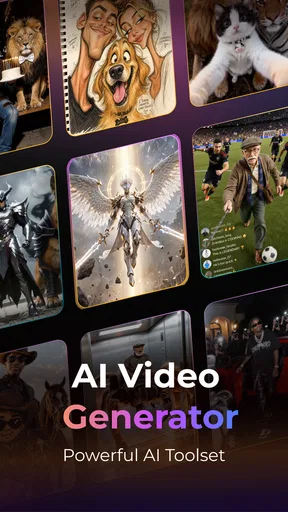
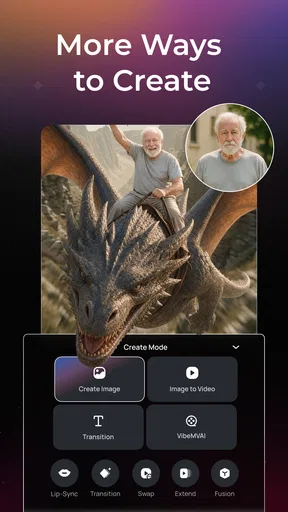
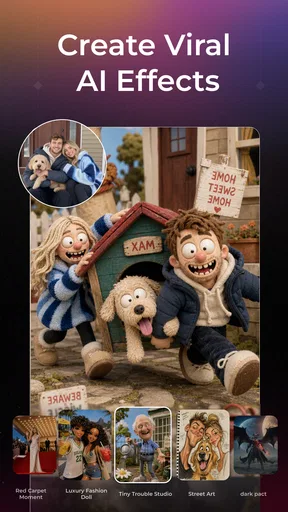
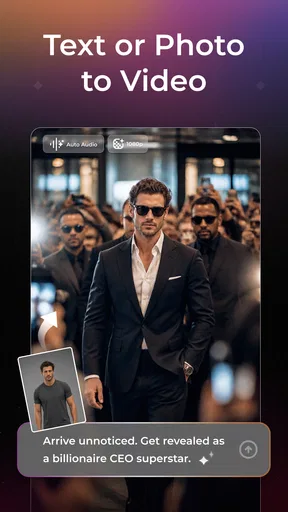
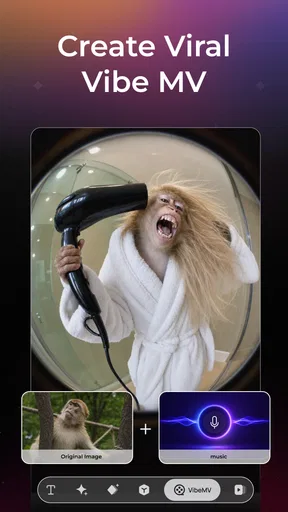
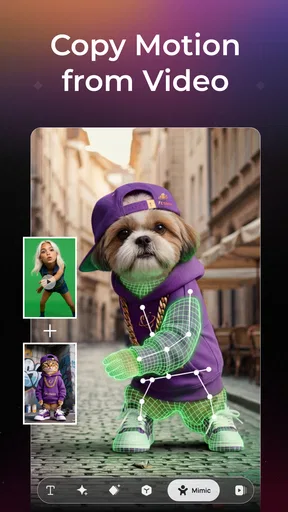
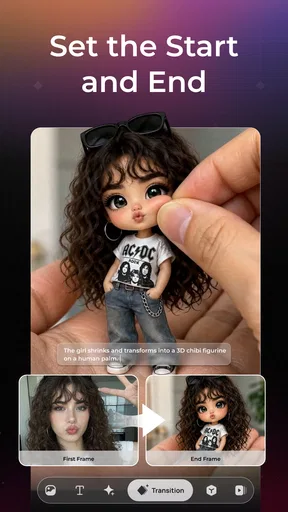
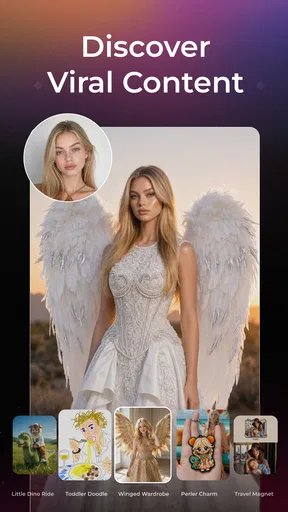
Our Review of PixVerse: AI Video Generator
 Analysis by Appyee
I’d describe PixVerse: AI Video Generator as a creative starting point for people who want to turn an idea into a short video without first learning a traditional editing workflow. I’m most interested in it when I have a visual concept but not the time, footage, or editing experience to build everything by hand. It belongs to the photography and visual-creation space, though its focus is video; it is made by PixVerse and is free to install. That makes trying it a fairly easy decision, but it doesn’t mean every useful option is free.
What the free entry point does—and doesn’t—tell you
The app has in-app purchases listed from $4.99 to $599.99 per item. That is a wide range, so I would not treat “free” as a promise that every generation, effect, or workflow is available at no cost. Nor would I assume the highest listed purchase is necessary for ordinary use: the figures describe the range of items, not what a typical person needs to spend. I’d install it first, explore what the free experience lets me do, and only consider paying if I hit a specific limit that matters to my project.
This is the practical question I’d ask before opening my wallet: am I making occasional experiments, or do I expect to create videos regularly? For a one-off idea, free access may be enough to find out whether the results suit me. If I’m considering a purchase for repeated use, I’d want to understand exactly what that item unlocks in the app and whether it fits the way I work. The listed purchase range alone cannot answer that, so checking the in-app details before confirming is sensible.
Transforming Ideas into Visuals
First things first, PixVerse: AI Video Generator is all about turning your creative ideas into stunning videos with minimal effort. Whether you're a seasoned video editor or someone who just wants to spice up their social media feed, this app has something for everyone. I was a bit skeptical at first, but once I started playing around with it, I was hooked.
Easy to Use Interface
One of the standout features of PixVerse is its user-friendly interface. Everything is laid out intuitively, so you don’t need a degree in video editing to make professional-looking content. I found myself navigating through the app effortlessly, thanks to its well-organized menus and simple drag-and-drop functionality.
AI-Powered Magic
The real magic happens with its AI capabilities. The app analyzes your input and suggests the best styles and effects to enhance your videos. It’s like having a personal video editor in your pocket! I tried uploading a few random clips, and the app’s AI suggested edits that I wouldn’t have thought of myself. It’s genuinely impressive.
Customization Galore
While the AI suggestions are fantastic, you still have full control over customization. You can tweak effects, add text, and adjust the transitions to suit your style. I loved how I could maintain my creative touch while benefiting from the AI’s assistance. Plus, there’s a wide range of templates that cater to various themes and moods.
Performance and Reliability
I’ve used other video editing apps before, and let’s just say, not all of them run smoothly. With PixVerse, I experienced minimal lag, and the app didn’t crash even once during my extensive editing sessions. It’s pretty robust, which is crucial when you’re knee-deep in creativity and don’t want to lose your work.
Sharing and Export Options
Once you’re happy with your masterpiece, exporting is a breeze. The app offers multiple formats, making it easy to share your videos across different platforms. Whether you’re posting on Instagram, YouTube, or just sharing with friends, PixVerse has got you covered.
Where it fits in a real creative routine
The best way I’d use this kind of AI video tool is for a first draft, not as a replacement for every part of a finished production. Say I have a still image or a rough visual idea for a post and want to see whether it can become a moving clip. I can use the app to explore a style, then decide whether the result is good enough to share or whether it needs a more deliberate edit elsewhere. That keeps the creative risk low: I’m testing an idea before spending time polishing it.
For a small business owner, it could be useful for making a quick visual concept to accompany a product announcement. For a hobbyist, it can turn a prompt or clip into something more playful to send to friends. I’d be more cautious if the video needs exact brand colors, precise product details, or a carefully controlled sequence. AI-generated visuals can be compelling, but when accuracy matters more than surprise, a conventional editor gives me clearer, frame-by-frame control.
Small workflow choices that improve the result
I’d go in with one clear visual goal rather than asking the app to solve an entire campaign at once. A focused idea makes it easier to judge whether the style and motion feel right. If the first output misses the mark, I’d change one part of the input at a time—such as the subject or mood—rather than rewriting everything. That gives me a better sense of which choice is shaping the result and avoids wasting attempts on random variations.
I’d also separate exploration from finishing. First, use the AI suggestions and templates to find a direction; then adjust text, effects, and transitions only after the main look feels coherent. This matters because decorative edits cannot rescue a clip whose central image or movement is wrong. Before sharing, I’d watch the whole video once with the sound and context I expect people to encounter, checking that captions are readable and that the clip still makes sense without an explanation.
How it compares with familiar editing apps
Compared with a standard mobile editor, PixVerse puts more emphasis on AI-assisted creation and less on manually assembling every visual choice from scratch. That is useful when I’m short on footage or need inspiration, while a traditional timeline editor is usually the better fit when I already know exactly how each shot should be arranged. It is not an either-or choice: I can use an AI tool to explore a concept and move to a conventional editor for precise timing or a final sequence.
It also serves a different purpose from a basic photo app. A photo editor helps me refine a still image; this app is aimed at producing video from creative input and then shaping the result. If all I need is to crop a picture, tune its color, or make a simple collage, I’d choose a focused photo tool instead. The value here is in trying to create motion and a visual treatment, not in replacing every utility in my camera roll.
Limits worth considering before you rely on it
AI suggestions are a source of ideas, not a guarantee that the output will match the picture in my head. I’d expect to review the result and make choices rather than assume the first version is ready for a public post. Likewise, templates can speed up a start but may make different creators’ work feel similar if everyone accepts the defaults. Changing the text, mood, or transitions is not busywork; it is how I’d make a template feel intentional.
For a deadline-sensitive project, I’d leave time to inspect and revise the video instead of building a plan around a perfect first attempt. A tool that feels straightforward can still involve experimentation, especially when the brief is specific. I’d also avoid making it my only option for work where exact continuity, fine timing, or factual visual representation is essential. In those cases, a hands-on editor—or a workflow built around verified footage—offers more dependable control.
Who is most likely to get value
I think PixVerse is a good match for curious creators, casual social posters, and beginners who want to experiment with AI-supported video without starting from a complicated desktop setup. Its Teen content rating is worth keeping in mind for families deciding whether it is appropriate for a younger user. The app is available free, and it has a 4.5 average from around 3.5 million ratings, with over 10 million installs; those figures show broad use, though they can’t tell me whether a particular style will suit my own taste.
I’d skip it if I mainly want a precise, manual editor, if I only need ordinary photo adjustments, or if I’m unwilling to review AI-generated results. It may also be the wrong choice if I want to commit to a paid option before understanding what that purchase provides. PixVerse is at version 3.10.0, and it requires Android 7.0 or later. It was released on September 25, 2024, and has a Teen rating; those details are useful when checking device compatibility and deciding whether it fits a household.
My buy-or-skip verdict
I’d try PixVerse: AI Video Generator for free if I wanted a low-friction way to turn a visual idea into a video and was happy to experiment. I would not pay just because the app offers in-app purchases, and I would not expect AI assistance to remove the need for editing judgment. The strongest value is the chance to explore looks and create a starting point quickly; the main trade-off is that results may need refinement, and paid value depends on the specific item I choose.
For me, that makes the decision simple: install it when the goal is creative exploration, test it on a low-stakes idea, and judge the output before building a larger project around it. If I need exact control from the first frame to the last, I’d reach for a conventional editor instead. If I want an accessible way to see whether an idea works in motion, PixVerse is worth a look.
Privacy and Permissions
See what permissions an app requests and how it handles your data.
- Phone
- read phone status and identity
- Photos/Media/Files
- read the contents of your USB storage, modify or delete the contents of your USB storage
- Storage
- read the contents of your USB storage, modify or delete the contents of your USB storage
- Camera
- take pictures and videos
- Microphone
- record audio
- Wi-Fi connection information
- view Wi-Fi connections
- Device ID & call information
- read phone status and identity
- Other
- view network connections, pair with Bluetooth devices, access Bluetooth settings, full network access, control vibration, prevent device from sleeping, Google Play license check
Verdict
Strengths of PixVerse: AI Video Generator
- Intuitive user interface for ease of use.
- High-quality video outputs with AI tech.
- Wide range of templates and effects.
- Regular updates improve performance.
- Supports multiple file formats for export.
Limitations of PixVerse: AI Video Generator
- Requires a stable internet connection.
- Some features locked behind a paywall.
- Occasional lag on older devices.
- In-app ads can be intrusive.
- Limited customization for advanced users.
Similar Picks in This Category
View All
Google Photos
Google LLC4.4

Gallery
Google LLC4.2

Picsart AI Photo Editor, Video
PicsArt, Inc.3.9

B612 AI Photo&Video Editor
SNOW Corporation4.1

BeautyPlus-Selfie Photo Editor
PIXOCIAL TECHNOLOGY (SINGAPORE) PTE. LTD.4.5

Remini - AI Photo Enhancer
Bending Spoons4.1
Frequently Asked Questions
What is PixVerse: AI Video Generator used for?
PixVerse: AI Video Generator is an innovative app that allows users to create dynamic and engaging videos using artificial intelligence. It's designed to simplify video creation by automating complex editing processes, making it accessible to both beginners and advanced users. You can create professional-looking videos for various purposes, including social media, marketing, and personal projects.
How does the AI feature in PixVerse enhance video creation?
The AI technology in PixVerse automates many aspects of video creation, such as scene selection, transitions, and effects. It analyzes your inputs to suggest enhancements and creative elements, significantly reducing the time and effort required for editing. This makes it easier for users to produce high-quality videos without needing advanced technical skills.
Is PixVerse suitable for professional use?
Yes, PixVerse is suitable for both professional and personal use. It offers a range of advanced features that cater to professional video creators, including high-resolution export options, customizable templates, and a variety of special effects. This makes it a versatile tool for creating promotional content, video presentations, and more.
What are the system requirements for PixVerse?
PixVerse is available for both Android and iOS devices. It requires a minimum of Android 8.0 or iOS 12.0 to operate smoothly. For optimal performance, it's recommended to use a device with a fast processor and ample RAM, as video editing can be resource-intensive. Ensure you have enough storage space for your projects.
Does PixVerse offer any in-app purchases?
Yes, PixVerse offers in-app purchases to unlock additional features and content. These may include premium templates, advanced editing tools, and extended export options. While the basic version of the app provides a comprehensive set of features, purchasing upgrades can enhance your video creation experience and offer more creative possibilities.
